
Ein seit langem sehnlichst erwartetes Feature ist ab Version C22.12 verfügbar: die neue Funktion „Backup für Synology NAS“ wird in Acronis Cyber Protect Cloud eingeführt. Bisher musste ein dedizierter Server verwendet werden, der über Netzlaufwerke die Daten gesichert hat. Mit dem neuen Feature läuft der Agent direkt auf der NAS und sichert die Daten ohne Umwege.
Um ein NAS sichern zu können, solltest du die Angebotspunkte „Network-attached storages (NAS)“ und/oder „Network-attached storages (NAS) (included features)“ aktivieren.
Was ist neu?
- Neuer Agent für Synology (DSM v6.x), der als Paket für das Synology Package Center bereitgestellt wird:
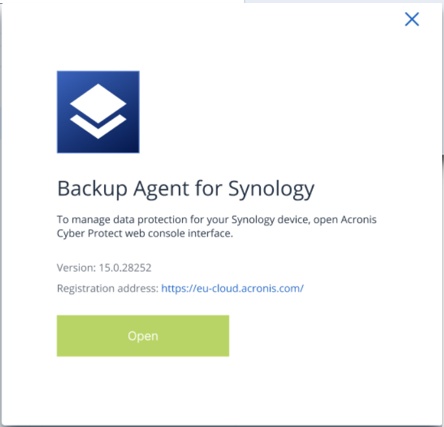
- Sichern und Wiederherstellen von Daten von Synology NAS-Geräten.
- Beibehaltung von ACL- und NAS-spezifischen Freigabeberechtigungen während der Wiederherstellung.
- Verwende den Agent für Synology für Off-Host-Datenverarbeitungsvorgänge; nutze beispielsweise NAS-CPU/RAM-Ressourcen, um Backup-Verwaltungsaufgaben, wie Backup-Replikationen und -Validierungen, durchzuführen.
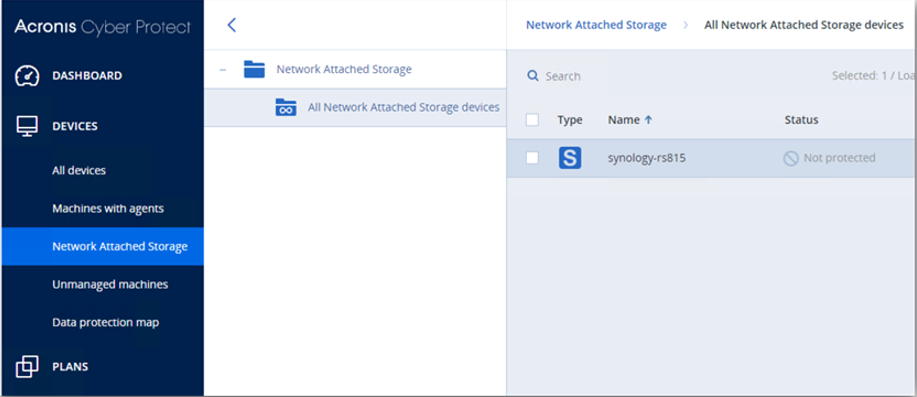
- Auf die Daten von NAS-Freigaben wird lokal zugegriffen, anstatt sie über das Netzwerk (via SMB) zu lesen, was eine bessere Leistung ermöglicht:
Du nutzt unser Managed Backup bisher noch nicht?
Sofort loslegen – Leistungsbuchung (EGIS)
Mehr erfahren – Website | Video | Handout
Und damit du mit dem Verkauf dieses Produkts an deine Kunden schnell und unkompliziert starten kannst, haben wir die wichtigsten Unterlagen vorbereitet:
Beschreibares Handout für Endkunden
Leistungsbeschreibung (SYNAXON>Partner)
Leistungsbeschreibung (Partner>Kunde)
Keine Updates mehr verpassen! Registriere dich jetzt für unseren SYNAXON Services Newsfeed, damit wichtige Benachrichtigungen direkt in deinem Postfach landen.